Microsoft Office (Windows und Mac)
Please note: The license agreements of Microsoft Office 365 for education are to be complied with!
Eligible members of the Kunstuniversität Linz (staff and students) have a "Microsoft 365" account, which allows for free installation of the MS Office suite on up to five devices.
To download the setup files visit one of the following pages
m365.cloud.microsoft/apps or portal.office.com/account
Sign in by using the login credentials of your Kunstuni Linz e-mail address.
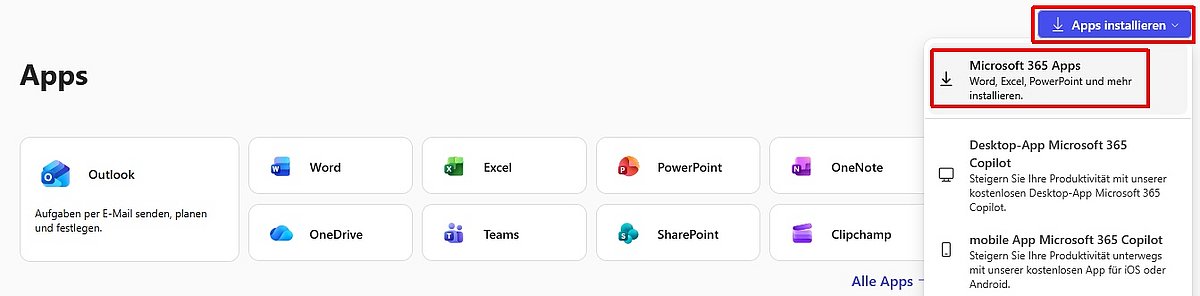
To download the setup files click the “Install Apps > Microsoft 365 apps” button or the “Install Office” button.
The Microsoft apps can also be used without installation directly in your browser from the above mentioned website.
Please note:
* You will always get the Office-version (Windows or Mac) depending on the device you are downloading it on.
* Check the language before downloading and change it if necessary.
* The Office applications have to be re-activated if you don't use them for a certain period (usually 30 days).
* For login and activation use the credentials of your Kunstuni Linz e-mail account.
